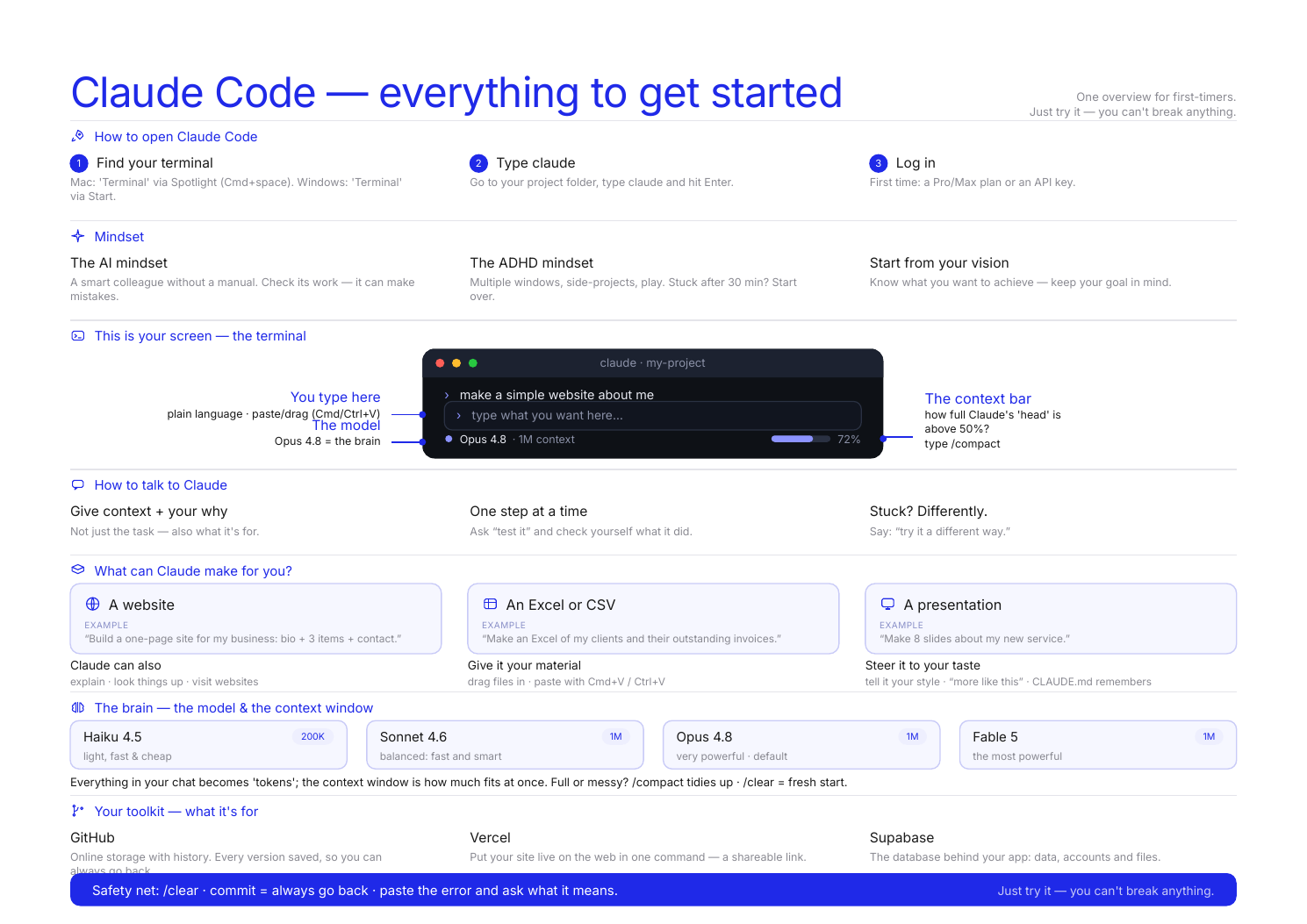
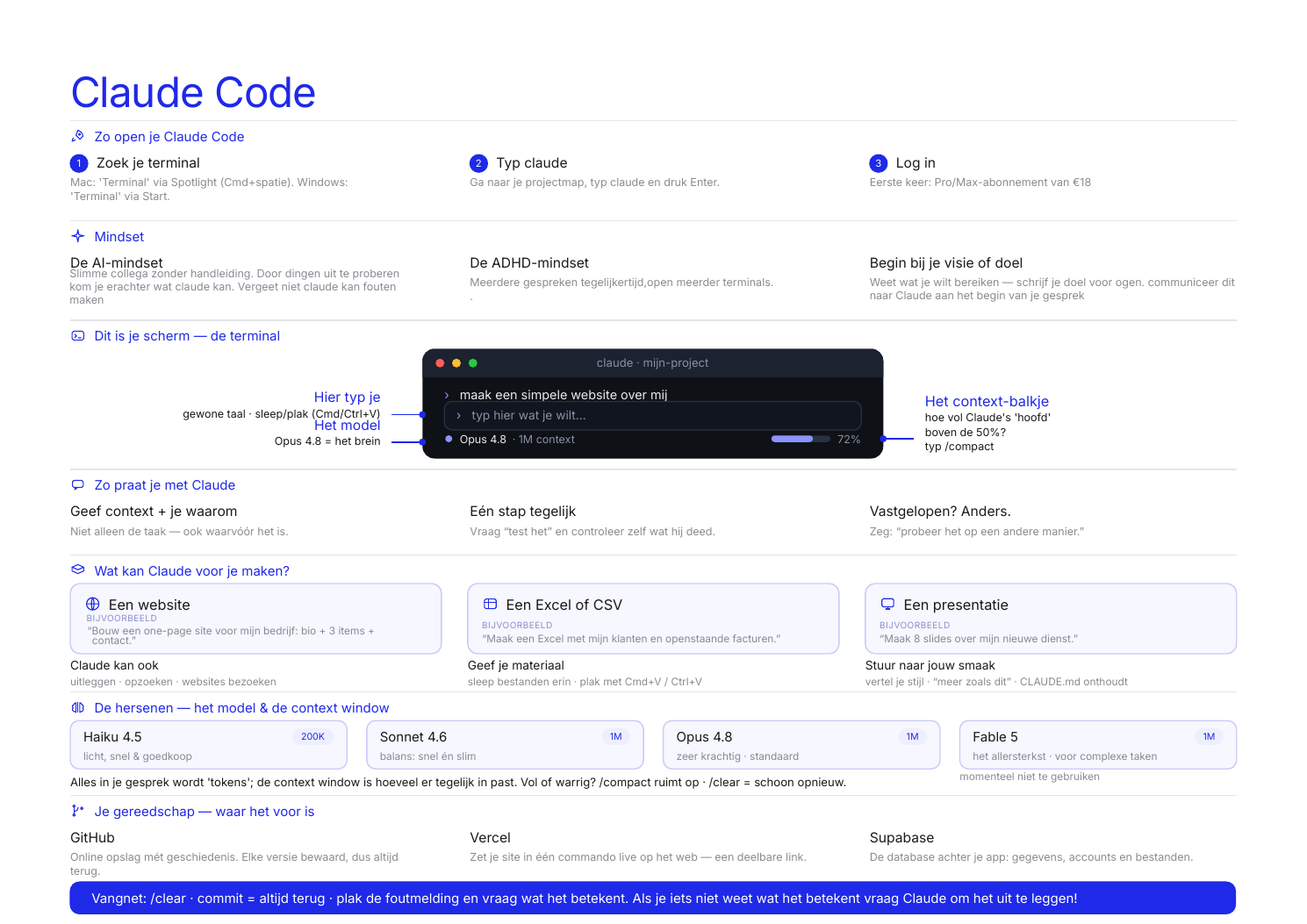
An AI collaborator that lives in your terminal. You tell it what you want in plain English, and it builds it. By the end of this guide you'll have a real website of your own, live online.
You don't need to install anything else yourself. Claude sets up the developer tools for you in step 5.
Mac — open Terminal and run:
curl -fsSL https://claude.ai/install.sh | bash
Windows — open PowerShell and run:
irm https://claude.ai/install.ps1 | iex
Then make a folder and start Claude inside it:
mkdir my-first-project cd my-first-project claude
When Claude starts, it opens your browser to log in with your Claude account — use the one with your Pro subscription. No API key needed.
Claude works in the folder you started it in, and you talk to it in plain English. One folder per project.
By default, Claude checks with you before every edit and command. For an expert that's useful. While you're learning it just gets in the way, so turn it off:
Turn on bypass permissions permanently — change my settings so I don't have to approve every action.
Claude edits its own settings file. Then restart it: type exit, run claude again, and accept the one-time warning.
You work in one folder per project, so there's nothing here Claude can break that you couldn't rebuild. Git keeps a history you can roll back to, and your CLAUDE.md tells Claude never to delete anything without checking first.
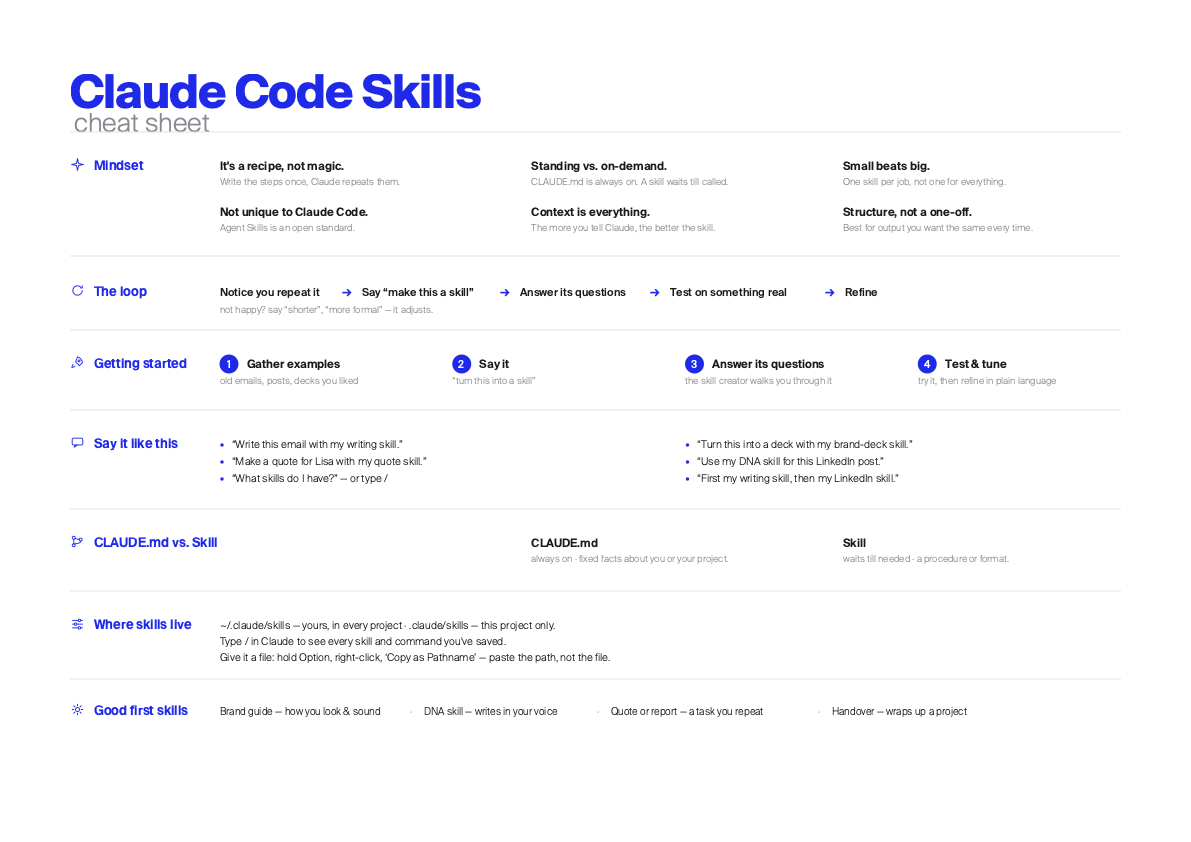
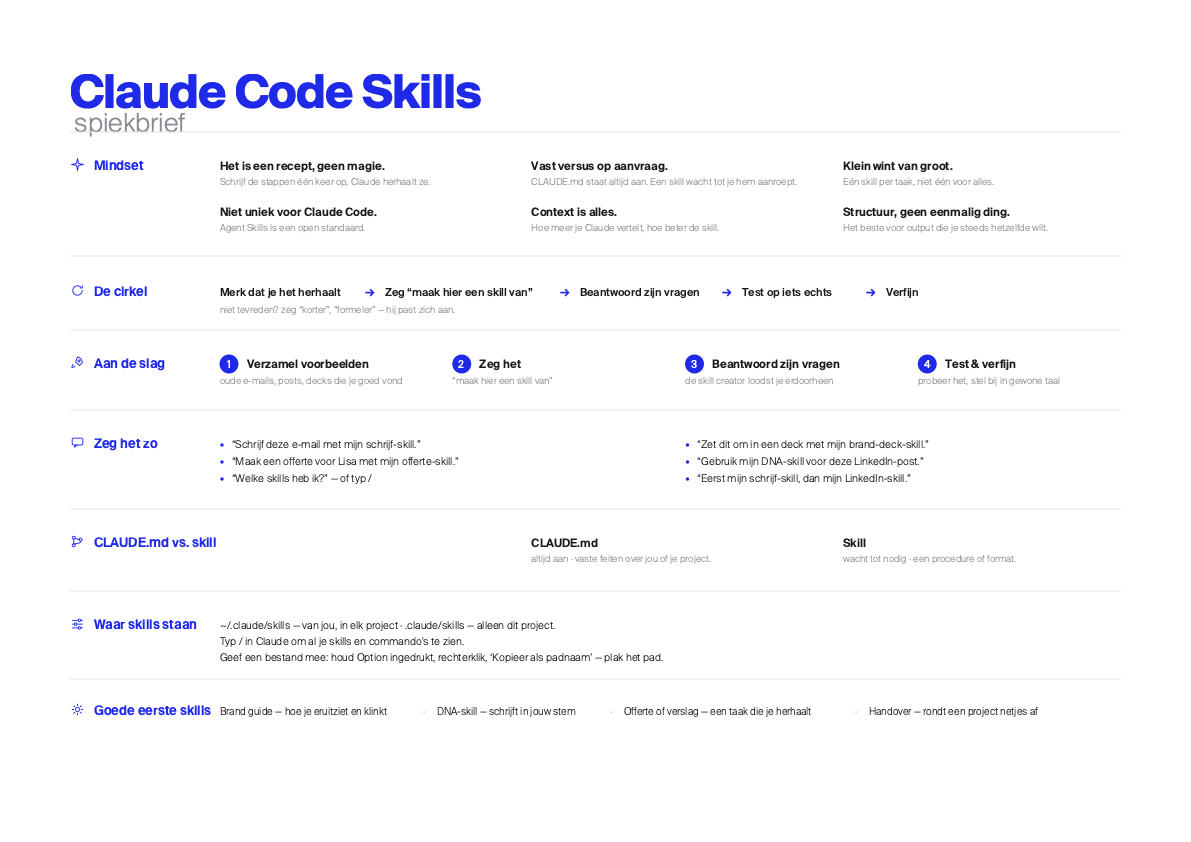
CLAUDE.md is a file of standing instructions Claude reads at the start of every session. Copy the starter, then tell Claude: "create a CLAUDE.md with this content" and paste.
# My Claude Code Preferences I'm a beginner learning to build things with AI. Help me learn, not just ship. ## How to communicate - Explain *why* you chose an approach before doing it. - Make changes in files; tell me in plain English what you did. - When something errors, explain what it means before fixing it. - Use simple, readable solutions over clever ones. ## Safety - Commit to git after every working change. Git is my undo button. - Never delete files or run destructive commands without asking. - If about to do something irreversible, stop and explain first. ## Working style - For anything bigger than a small fix, give me a 2-3 sentence plan first. - Verify changes actually work before saying it's done. - One task at a time. Finish and verify before moving on. ## Memory - Keep a NOTES.md: plan, decisions, what's done, what's next. - When I say "gnite": commit + push, update NOTES.md, short summary.
The file grows with you. Every time Claude does something you didn't like, add a rule for it. By the end, the CLAUDE.md is yours.
Now let Claude set up your developer tools — this is where those free accounts come in:
Set up my computer for web development. Install the GitHub CLI and the Vercel CLI, then help me log in to both. Make sure git knows my name and email. Explain each step — I'm a beginner.
If Claude asks you to run a command yourself, type ! before it (e.g. ! gh auth login). The ! runs it inside the conversation, so Claude sees the output.
You're set up. Now build something real:
Build me a simple one-page personal site: my name, a short bio, and three project cards. Keep the code simple enough that I can read it. When it works, show me how to see it in my browser, then deploy it to Vercel so I have a public URL.
Thirty minutes from now you'll have a real URL you can send to anyone.
The things experienced users do that beginners don't know exist.
Esc | Stops Claude in the middle of a task. Use it any time, as often as you like. |
/clear | Wipes the conversation. Start a new task with a clean one; long sessions get slower and pricier. |
/exit + /login | When Claude acts strange, quit, restart, run /login. Fixes a lot. |
claude -c | Closed the terminal? Run this in your folder to continue your last conversation. |
Shift + Tab | Cycles permission modes, including plan mode — approve a plan before it builds. |
| Paste the error | Copy the whole error in and ask "what does this mean?" before a fix. This is how you learn. |
| "Did it work?" | "Done!" is not proof. Open the page, click the button, verify yourself. |
| Paste a picture | Ctrl + V (yes, Ctrl — even on Mac) pastes a screenshot. Claude can see images. |
| "do it" | Short replies are fine: "yes", "do it", "keep going". |
/help | Shows everything else. |
Once the basics feel comfortable, a few habits that make you faster.
claude in each, work on different parts at once — it's how experienced people work./clear freely.Claude can use almost any tool or service. Each account you connect gives it a new power.
Paste the full error and ask what it means. Reopen the terminal. Run /exit then /login. And remember — you can always ask Claude itself.
Your AI collaborator in the terminal. Tell it what you want in plain English and it writes the files, runs the commands, and looks things up online. The whole guide runs on it.
Open the docs ↗Where you sign up and manage your plan. The Pro plan (about €17/month) includes Claude Code — make your own account and log in with it. No API key needed.
Get Claude Pro ↗A free home for your code online. It keeps every version, so you can always go back to one that worked.
Open GitHub ↗Turns your project into a real website with a public URL you can share. Free, and it connects straight to your GitHub.
Open Vercel ↗A free database, for when your app needs to remember things like logins or comments. You can add it later.
Open Supabase ↗Already on your computer, nothing to install. Mac: the Terminal app. Windows: PowerShell. This is where you run Claude.
Already on your Mac / PCA short intake — your fonts, colours, an old deck, image inspiration — then a slide deck in your own style.
Download ↓Plain-language grip on your money: what to set aside for tax, and a simple monthly bookkeeping overview.
Download ↓The short version of what we've learned helping people use AI well. These are mindset tips, not prompts — read them once, then go build something.
| Inevitable | AI is (probably) here to stay — it's being baked into Office, Google Docs, Canva, Miro. It'll be hard to escape. |
| Still accelerating | It might "plateau" soon. I wouldn't bet on it. |
| Fear blocks skill | Most people are afraid of it — and not very good at it. The fear prevents the play that builds the skill. |
| Raises the ceiling | Everyone can build now. It's mostly an attitude. |
| New goals | Authenticity, curiosity, intrinsic motivation. Experiment as much as you can. |
| It's up to you | AI augments you; it isn't autonomous. Bad results? Assume there's a better prompt. |
| Be specific | Vague questions get generic answers. |
| Play with it | Effective use comes from intuition — and intuition comes from play. |
| Vibe, don't engineer | "Prompt engineering" is too left-brained. Vibe with it. |
| Crap begets crap | A lame reply poisons the ones after it. Edit your input until quality returns. |
| Quality breeds quality | Prime it with rich context before you ask the real question. |
| Start fresh | New chat per task — quality degrades over a long thread. (This is what /clear is for.) |
| Brain on | Give it your own ideas; it thinks better. And it can't finish the job — the last 10% is half the work. |
| Ask its plan | Ask what it's about to do before it does it, so you can steer. |
| Think critically | Assume anything it says could be false — it's a perspective, not the truth. Verify. |
| Be authentic | Tell it your real purpose. Use it to figure out what you actually want. |
| Have integrity | Know what you want to say. Don't cite what you haven't read. |
| Own the outcome | Like a camera — you didn't paint the pixels, but you framed it, and you own it. |
| Parts, not wholes | AI makes parts, not finished things. Copy the good selections, not the whole. |
| Edit extensively | Learn what "sounds like AI" means — and cut it. |
| Start early | It doesn't make you faster; it makes it easier to start. |
| Don't be lazy | Supplement your thinking, don't replace it. Raise your own standards. |
These are the common misconceptions. You don't have to agree — just don't take them on faith.
It can do 90% of the work — but the last 10% of a project is usually 90% of the work. Don't leave it all to the end.
"It was good to get started. You have to use your brain to finish it."
"It's great to put words to what you already thought."
"Use it as inspiration, not just an answer."
Field notes by J. Derek Lomas, from teaching people to work with AI. The full version, with prompts ↗ · dereklomas.me ↗